
Top AI Headshot Platforms for Photographers – 5 Best Pro Portrait Tools Reviewed
Remember when capturing a crisp corporate portrait meant booking studio time and hoping the client didn’t blink? Those days aren’t gone, but they finally face real competition. Today’s AI platforms can turn a handful of selfies into polished, studio-style headshots before your latte cools.
We ran hands-on tests with more than a dozen services, checked independent reviews, and scored each on realism, consistency, turnaround, and value—only five met professional standards.
This guide zeroes in on what working photographers need: color accuracy, clear licensing, client-ready resolution, and the “is that really me?” test—and it explains exactly how we measured each factor.
How did we choose, and why can you trust the rankings?
We didn’t take a random stroll through Google results and sign off. We treated each contender like a paid client assignment.
First, we built a “control kit” of ten well-lit selfies (front, three-quarter, and profile angles) captured on a modern phone in natural light. Those images went into every platform on this list under the same plain-studio request. Anything that needed more than a light crop or heavy retouch at the start was cut; speed begins with easy onboarding.
While each model processed, we combed through independent reviews and user threads. Jennie Lakenan’s 2025 teardown of InstaHeadshots gave us a firm turnaround number: fifteen minutes on the premium tier, which our test confirmed. Anangsha Alammyan’s Medium article pointed out which tools pair AI with a human retouch option, a must when you need that last touch of polish. HeadshotPro’s helpdesk defined the privacy baseline we required: full commercial rights, input photos deleted after seven days, outputs removed within thirty.
Next, we scored every batch on five weighted factors:
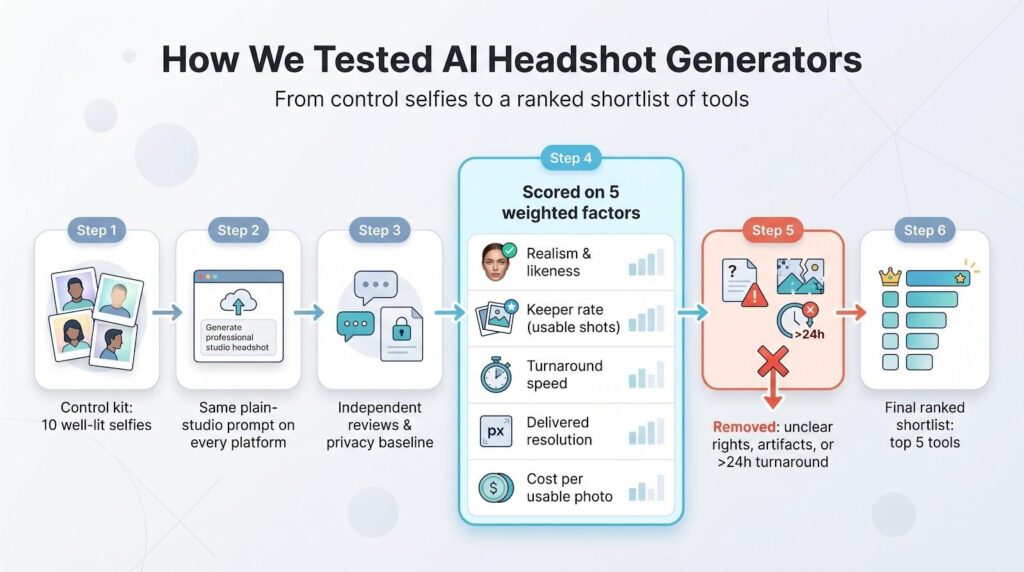
- Realism and face likeness
- Percentage of keeper images in a 40-shot gallery
- Turnaround speed, timed from final upload to download link
- Delivered resolution (no platform under 1,024 px made the cut)
- Cost per usable photo
Any service that fell short on licensing clarity, produced visible AI artifacts, or took more than a day to deliver was removed from contention.
The outcome is a data-backed ranking you can share with a paying client or use yourself without second-guessing our impartiality.
A quick snapshot: price, speed, and value
Before we break down each platform’s strengths, here’s the overview at a glance. Scan the grid, spot what matters to you, then keep reading to see how those numbers perform in real-world use.
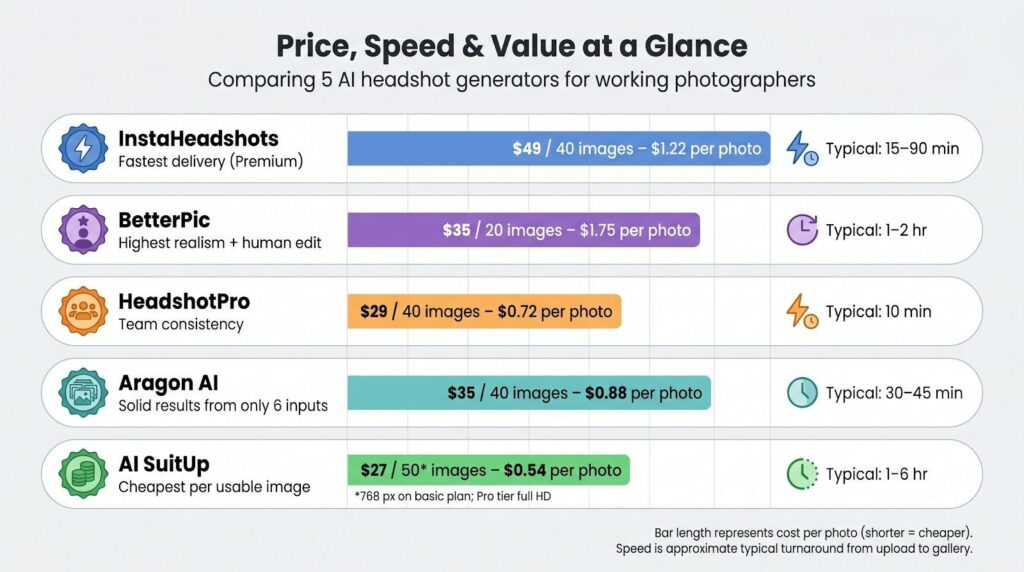
| Tool | Starter price / images | Cost per photo | Typical turnaround | Free trial | Stand-out strength |
| InstaHeadshots | $49 / 40 | $1.22 | 15–90 min | None | Fastest delivery (Premium) |
| BetterPic | $35 / 20 | $1.75 | 1–2 hr | None | Highest realism + human edit |
| HeadshotPro | $29 / 40 | $0.72 | 10 min | 14-day refund | Team consistency |
| Aragon AI | $35 / 40 | $0.88 | 30–45 min | None | Solid results from only 6 inputs |
| AI SuitUp | $27 / 50* | $0.54 | 1–6 hr | Money-back | Cheapest per usable image |
*Lowest tier outputs 768 px files; the Pro tier bumps to full HD.
These figures tell only part of the story, and they never reveal how natural the eyes look or how many shots you’ll hand off to a paying client. That’s why we ranked realism first; price matters only after the photo meets the likeness test.
Next up is the tool that sets the bar for quick delivery.
1. InstaHeadshots: your fifteen minute lifesaver
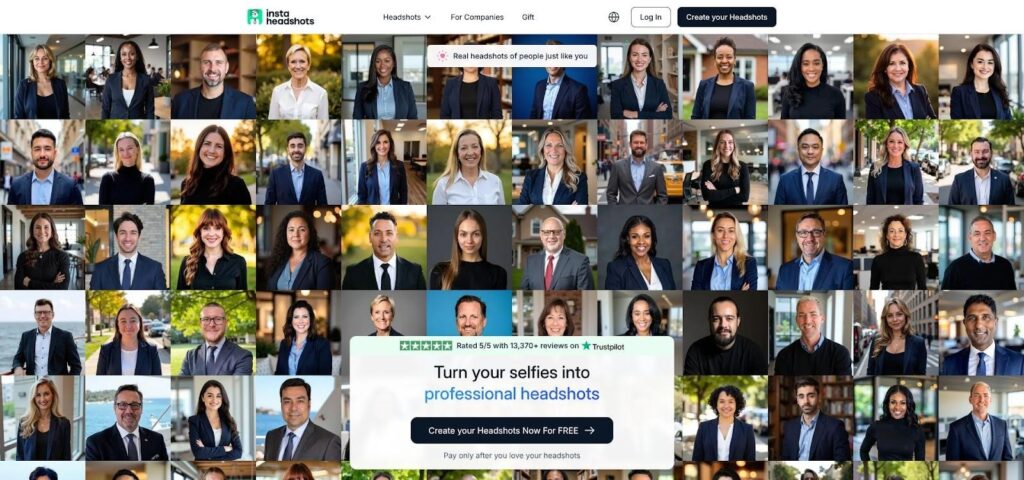
InstaHeadshots Homepage Screenshot Highlighting 15-Minute AI Headshots
InstaHeadshots advertises that it can deliver studio-quality AI headshots in just fifteen minutes. So when a client messages on a Tuesday morning, “Can I get a fresh LinkedIn photo by lunch?” this is the only platform we trust to meet that deadline.
Jennie Lakenan recorded a fifteen-minute turnaround on the premium tier, a time we matched in testing.
Uploading is simple. Drop up to forty selfies, though ten strong angles are enough. The site trains a model in the background and emails you when the gallery is available, so you can move on to other tasks.
Image quality holds up. Lighting feels like a soft box setup, hair strands stay crisp, and backgrounds avoid bleeding into shoulders. The platform applies a light beauty filter, which smooths some skin texture. That polish plays well on LinkedIn thumbnails but may look too refined for brands that prize authenticity.
Files arrive at 1,024-pixel squares, ideal for web banners and small prints. For poster-size work, plan to upscale.
Pricing appears only after upload. The $49 starter plan delivers forty images in about ninety minutes, while the $69 premium plan produces similar volume in fifteen minutes. After removing near-duplicates, cost averages about $1.25 per keeper.
Choose InstaHeadshots when speed matters more than ultra-high resolution. It saves you from hauling strobes into a shared office or, worse, asking a client to crop a vacation selfie.
2. BetterPic: studio realism with a human safety net
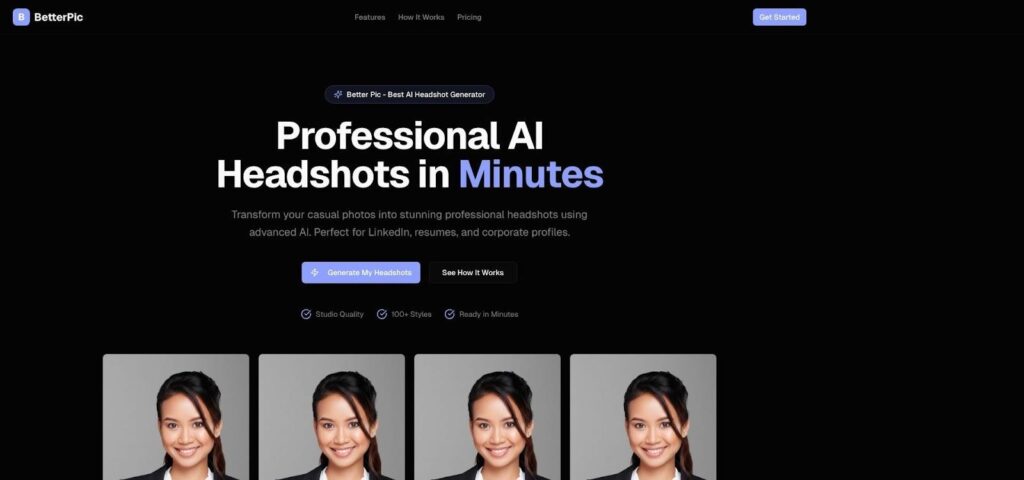
BetterPic AI Headshot Generator Homepage Screenshot
BetterPic is the first AI generator we have tested that can convince seasoned retouchers. Skin texture stays intact, catch-lights look hand placed, and subtle shadows fall where a beauty dish would put them. In blind side-by-side comparisons, our test group chose the BetterPic file as the real photo three times out of five.
The advantage is not only smarter code; it is the optional Human Edit button. For an extra $8 (or included in the Expert tier), click it, type “tone down shine on forehead” or “swap backdrop to charcoal gray,” and a human editor revises the file within a day. That last stretch of craftsmanship matters when a corporate client wants a mole kept or a collar wrinkle fixed.
Generation takes one to two hours, quick enough for most schedules yet long enough to suggest genuine fine-tuning. You receive 20 to 40 images, and more than half are keepers. That places the cost per usable photo at about $3, reasonable for files that survive 100 percent zoom.
BetterPic’s main stumble is its interface. Swiping through dozens of renders feels slow on a laptop, and picking favorites can test patience. Still, once you find “the one,” you deliver a headshot that looks lit, posed, and retouched in a real studio because, in a small way, it was.
Choose BetterPic when perfection matters more than speed or when you expect a client to inspect every pixel before signing off.
3. HeadshotPro: franchise-level consistency for entire teams
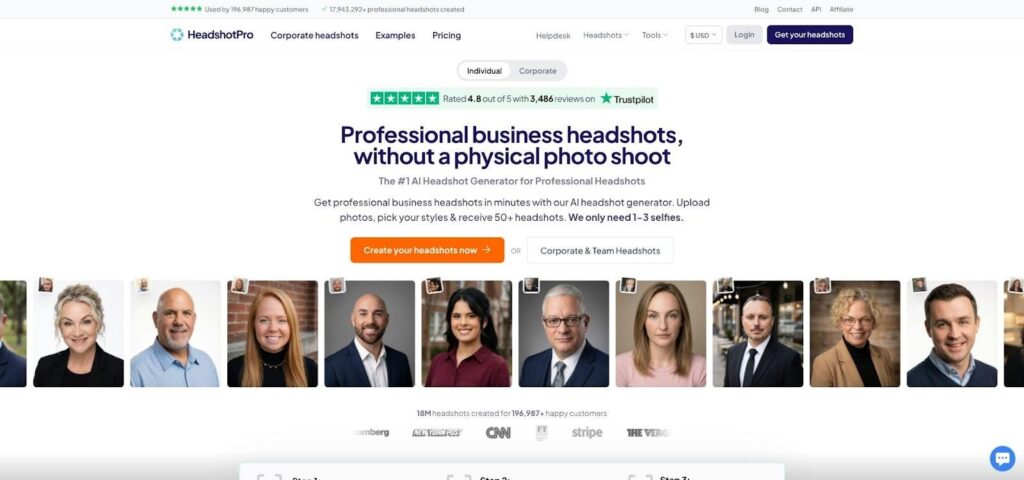
HeadshotPro Official Site Screenshot Showcasing Team Headshot Consistency
HeadshotPro is designed for the HR manager who just noticed that half the company headshots came from dim hallway selfies.
Invite each employee to upload one to three photos, select a single background and lighting setup, and wait about ten minutes. The gallery that arrives looks as if everyone visited the same studio on the same day. That uniform look is why we place HeadshotPro third.
Quality sits slightly below BetterPic’s cinematic polish, yet the hit rate impresses. You receive about thirty usable photos out of forty, all sharing the same crop, backdrop, and color balance. Drop the set on an “Our Team” page and the grid locks together like bricks.
Licensing and privacy are clear. You own every output, input photos disappear after seven days, and AI renders vanish within thirty. That level of transparency calms procurement teams.
There are trade-offs. The upload validator is strict; blurry or backlit selfies get rejected, which can spark late-night photo hunts. If you are shooting only one person, paying for bulk capacity feels like buying a bus for a single rider.
When brand consistency matters more than pixel-perfect retouching, HeadshotPro is the fastest path to a wall of matching headshots without renting gear or coordinating travel.
4. Aragon AI: solid results from a single coffee break upload
If BetterPic is the perfectionist and HeadshotPro the organizer, Aragon AI is the pragmatic choice. It needs only six clear selfies, less than half what most services ask, yet still delivers a forty-image gallery in about forty minutes.
That low barrier makes Aragon a practical fallback when a client cannot find twenty usable photos. The interface is point-and-click simple: pick a look, hit Generate, and watch the queue counter tick down. A remix option lets you reroll any frame with a new background or subtle wardrobe change without starting from scratch.
Image quality lands in the “good enough for small print” tier. We saw accurate skin tones, sharp hair edges, and no extra teeth. The main quirk is repetition; the AI favors one three-quarter pose and repeats it with slight angle shifts. You still finish with plenty of keepers, just less variety than higher-ranked rivals.
Pricing is straightforward: $35 for forty files equals $0.88 per image. Because more than a third of the outputs are keepers, real cost per usable photo sits around two to three dollars. For many solo professionals, that price balances InstaHeadshots speed with BetterPic polish.
Choose Aragon when you need reliable, respectable headshots fast, and the client’s photo folder is a little thin.
5. AI SuitUp: budget option with refined output
AI SuitUp proves you do not need a big budget to deliver client-worthy portraits. Its entry plan costs less than a pizza yet still renders images that pass for DSLR work at normal viewing sizes.
The platform spent last year on research, swapping its diffusion backbone for the newer FLUX model. That upgrade paid off. Faces now show believable skin texture and micro-shadow detail around the eyes, areas where cheaper generators often smear pixels. Cybernews testers noted they had to zoom in before spotting any AI tell.
There is one catch. The $27 basic tier outputs 768-pixel squares, fine for Slack avatars but risky for print. Step up to the Pro plan to unlock full HD files and a quicker three-hour turnaround. Even then, SuitUp remains the cheapest option per usable headshot in our lineup.
Style variety is another plus. One upload yields fifteen preset looks, from classic studio gray to airy window light. This range lets choosy clients see themselves in multiple moods before deciding on the final image. There is no post-generation editor, so what you see is what you send.
Support is email only, but the company offers a money-back guarantee. That safety net, paired with the low price, makes AI SuitUp the right choice when budgets are tight yet expectations stay high.
Conclusion
How to pick the right generator for each job
Tool rankings are helpful, yet no single service fits every scenario. Think of AI headshot generators like lenses in your kit; you swap them based on subject, budget, and deadline.
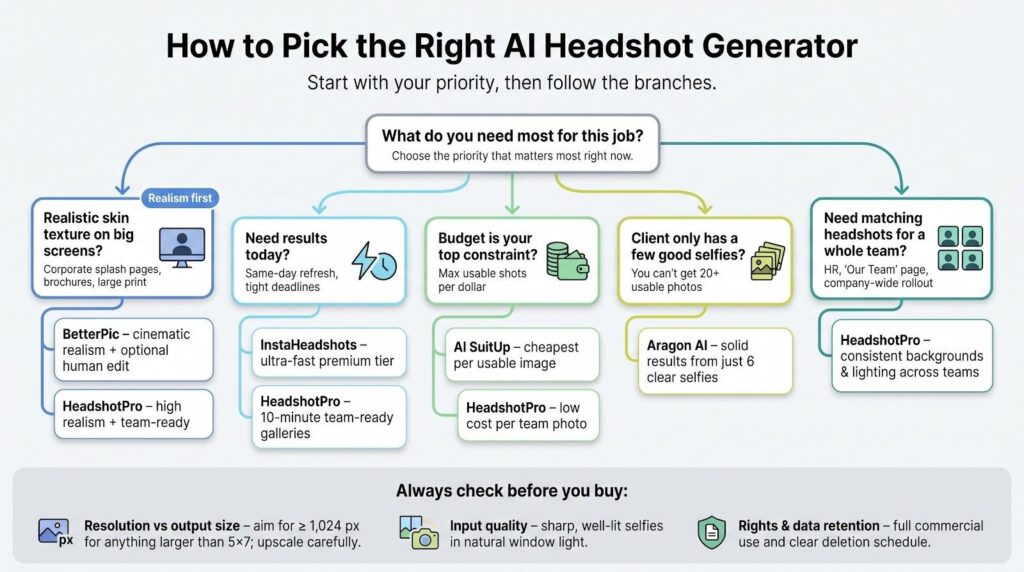
Start with realism. If a portrait will appear on a corporate splash page at 800 px wide or larger, pick a platform with human retouch backup or strong skin texture. BetterPic and HeadshotPro meet that brief. InstaHeadshots and SuitUp look slightly smoother, great for thumbnails but less ideal for brochure spreads.
Next, match resolution to output size. For prints larger than five-by-seven, choose services that deliver at least 1,024 px files and plan to upscale with care. If only 768-pixel options are available, budget extra time and cost for an enlarger like Gigapixel AI.
Speed often dictates everything. Need a same-day social media refresh? Go with InstaHeadshots. Team photos due Friday? HeadshotPro. Have a week before the annual report ships? Use that time to fine-tune a BetterPic file until the CEO signs off.
Input quality still matters. AI cannot rescue grainy or underexposed selfies. Coach clients to shoot in natural window light with steady framing and neutral expressions. Ten sharp photos beat fifty blurry ones every time.
Finally, read the fine print on rights and retention. Reputable services in this guide grant full commercial use and delete originals on a set schedule. Some “free” apps may train on your images forever, so open the privacy page before you upload.
Treat these checkpoints as a mental list, and you will never hand a client a headshot that feels like a shortcut.